

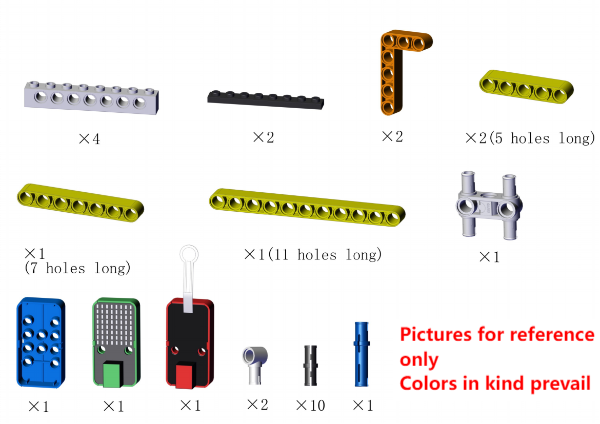
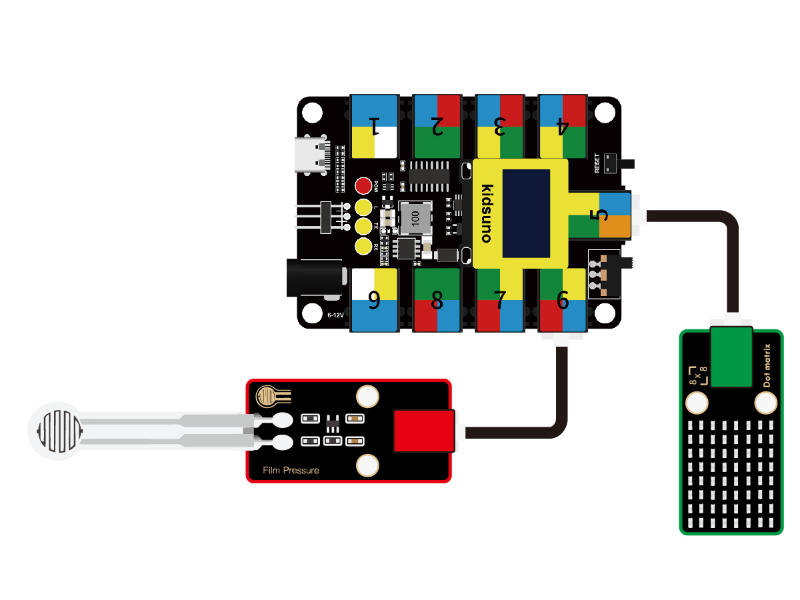
Required Parts
Place the pressure sensitive area of the sensor on a firm, flat surface when in use. For details, please refer to Chapter 3.6.
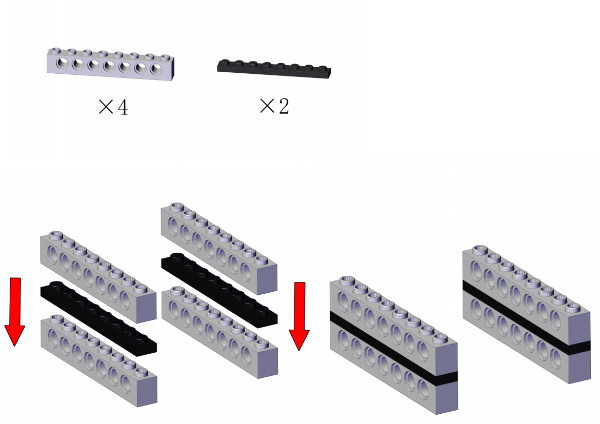
Step 1
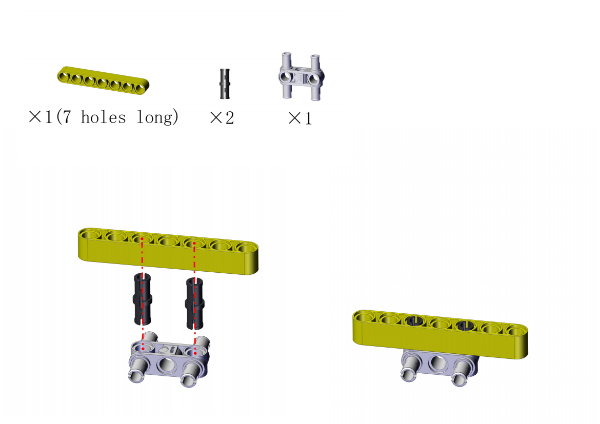
Step 2
Step 3
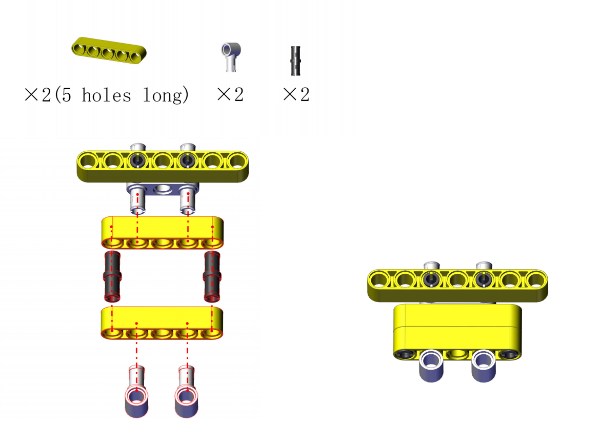
Step 4
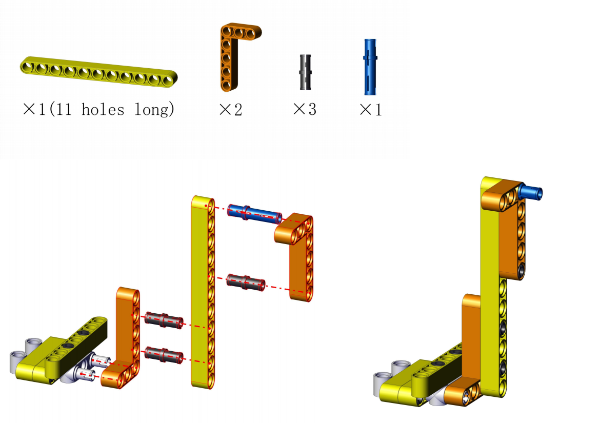
Step 5
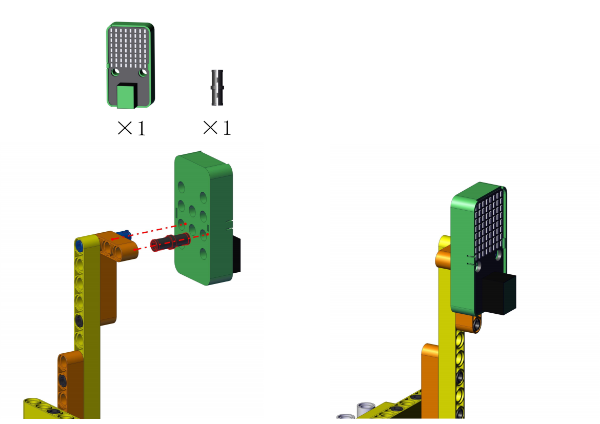
Step 6
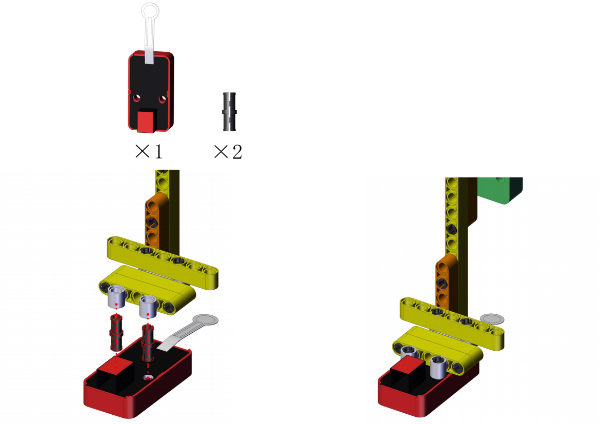
Step 7
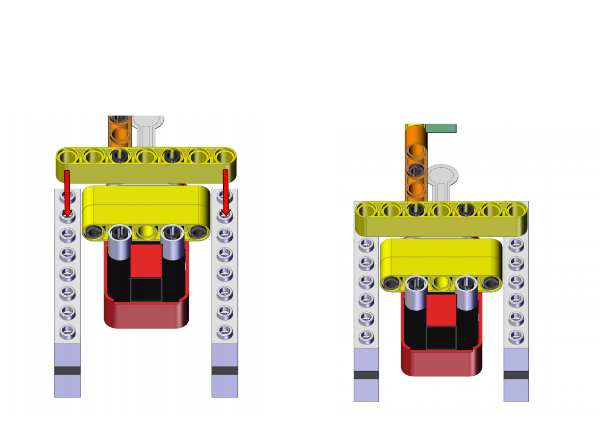
Step 8
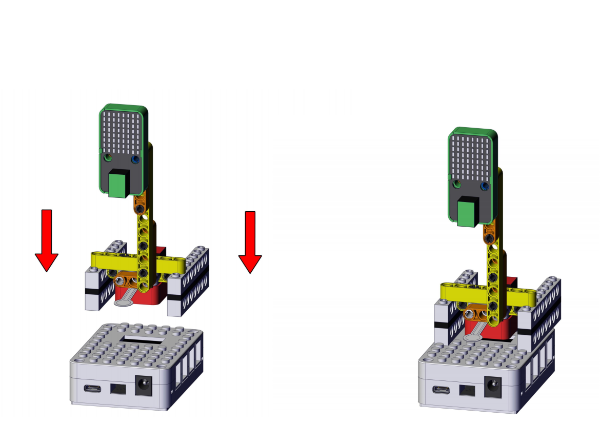
Step 9
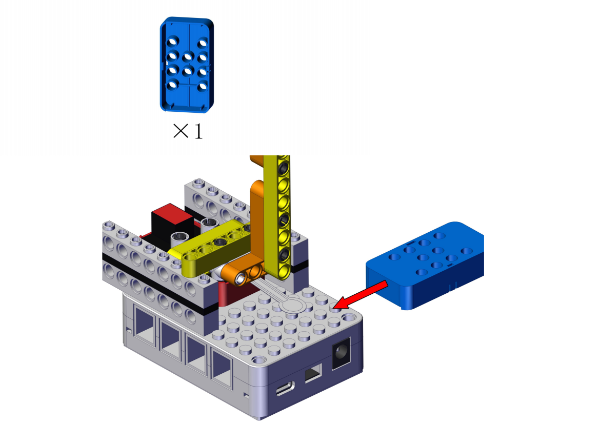
Completed
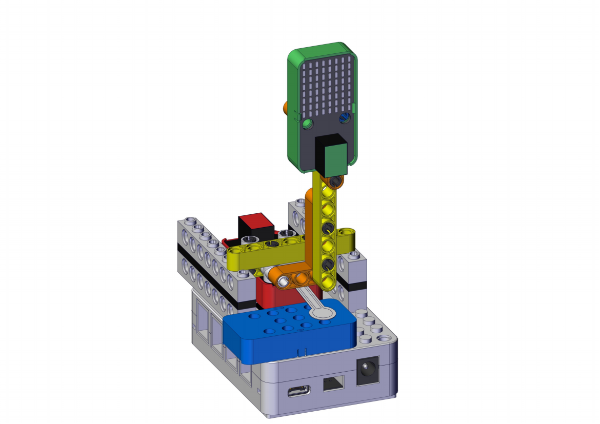
Open KidsBlock and connect the board to your computer. Click File –> Load from your computer.

Choose D:\Code\1.Code_kidsuno to open 4.3Track alarm.sb3 file.
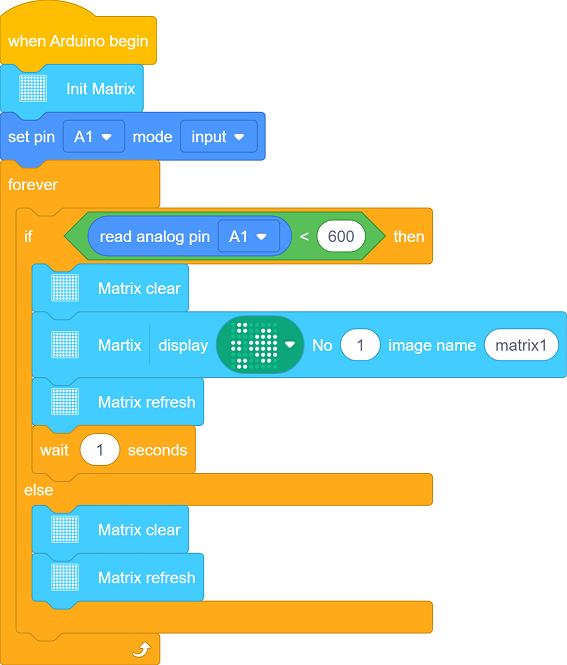
Click  to connect to port and then
  .
.

Conceive:
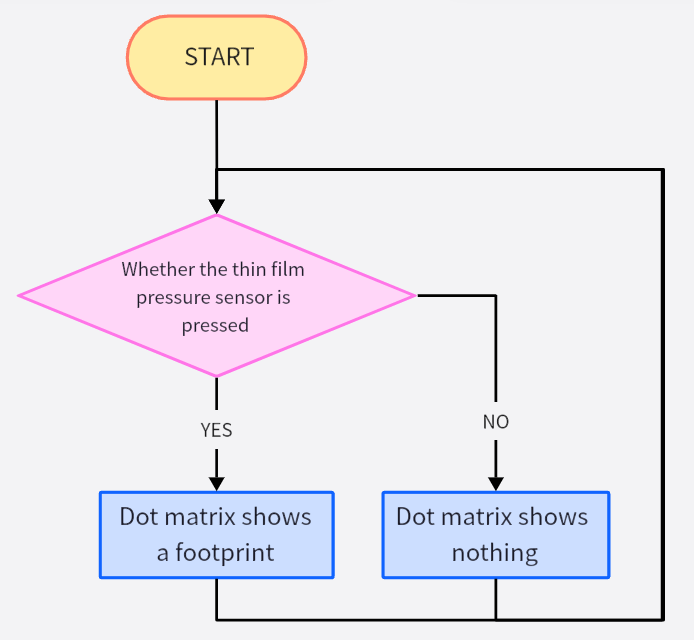
When someone steps on the pressure sensing area of the sensor, the output analog value of the sensor will decrease.
Set a threshold first to determine whether there is pressure. When the output value is smaller than the threshold, someone steps on this area; If the value is greater than the threshold, no track is detected.
If pressure is detected, a footprint icon will be displayed on the dot matrix.


Build blocks:
Initialization: initialize the dot matrix and set the pin of the thin film pressure sensor.
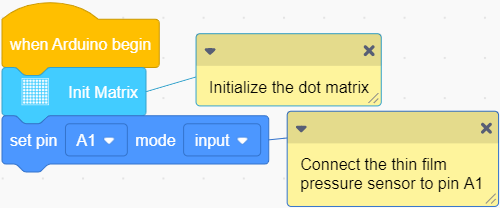
Loop:
Determine whether the output analog value is smaller than 600 (if yes, tracks are detected).
analog value < 600: the dot matrix shows a footprint icon as a reminder.
analog value ≥ 600: the dot matrix displays nothing.
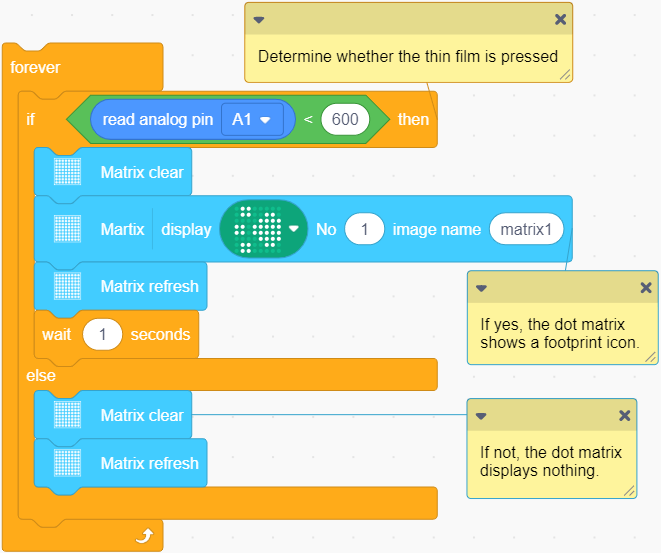


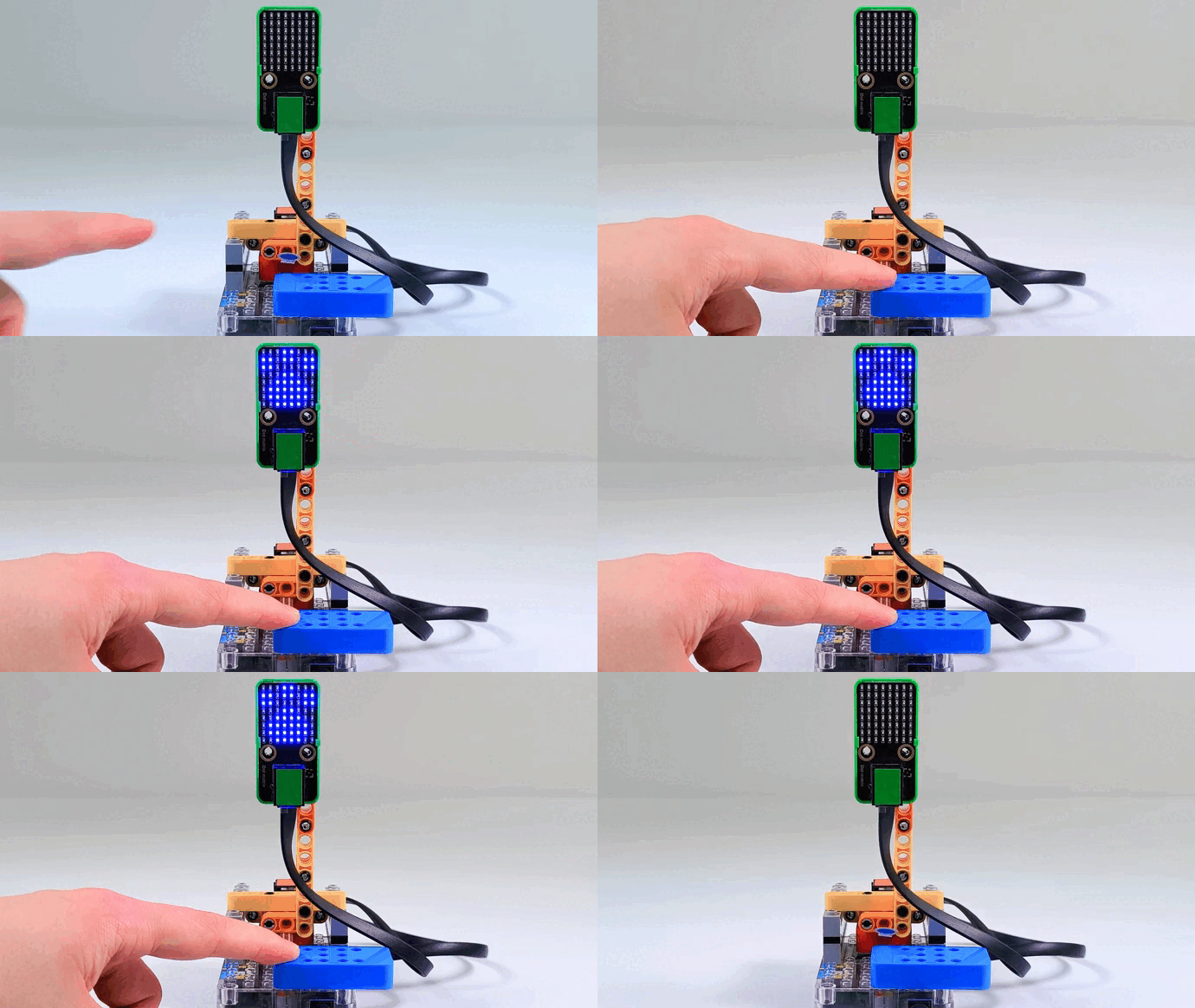
After uploading code, press the thin film with your finger, and you will see the dot matrix shows a footprint.


Follow Us


