Please refer to the following link:https://kd.kidsbits.cc/KD3020
Connect the kidsuno mainboard and computer via a USB cable, and connect the 360° servo to the G, V and D13 interface of the mainboard. The brown wire is connected to G, the red wire is connected to V and the orange wire is connected to D13.
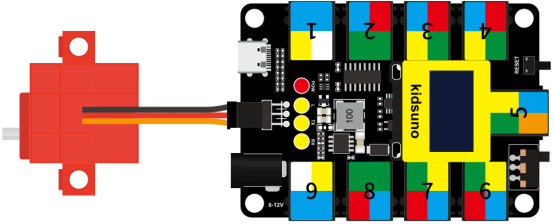
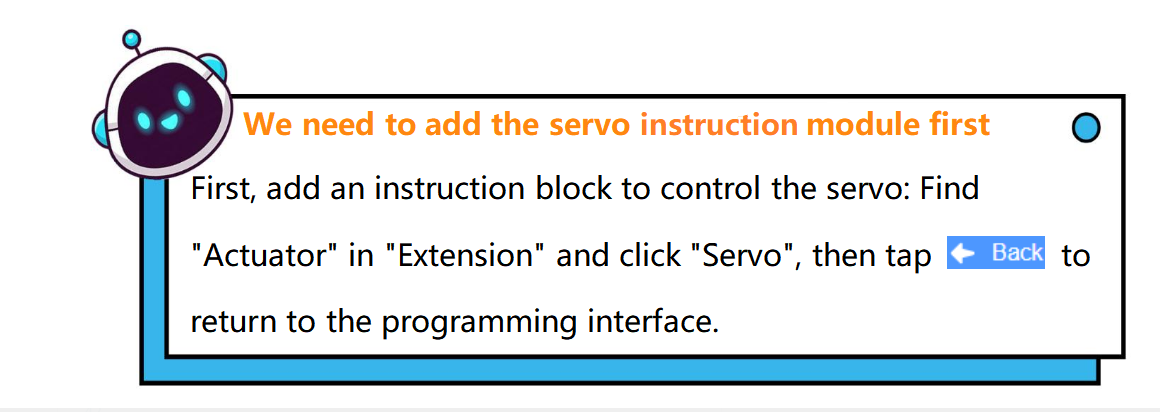

Diagram of the Extension Instruction Block
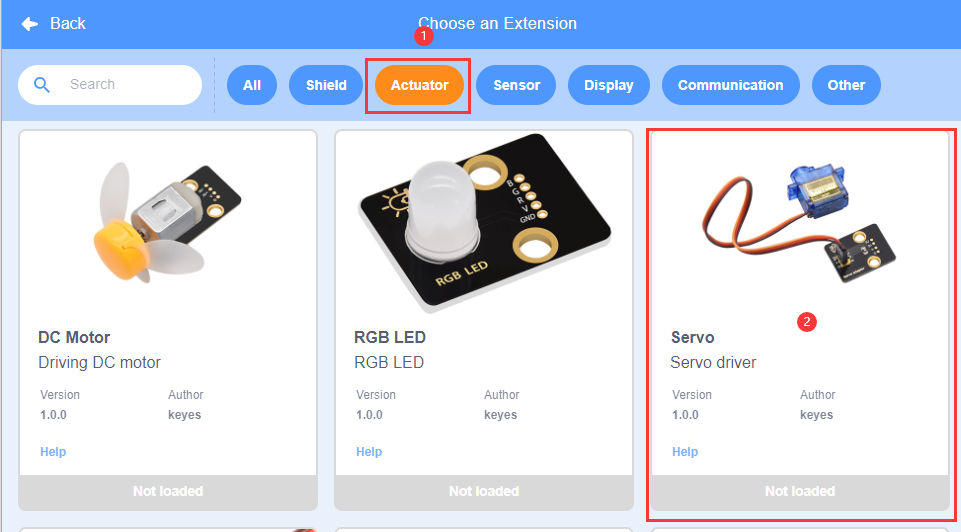
Add Servo Instruction Block
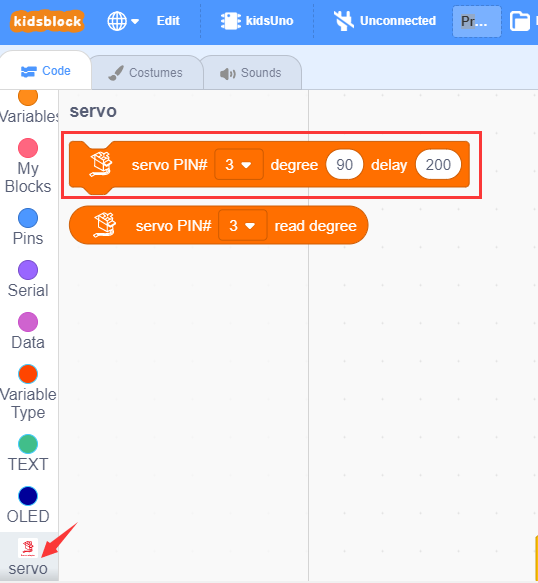

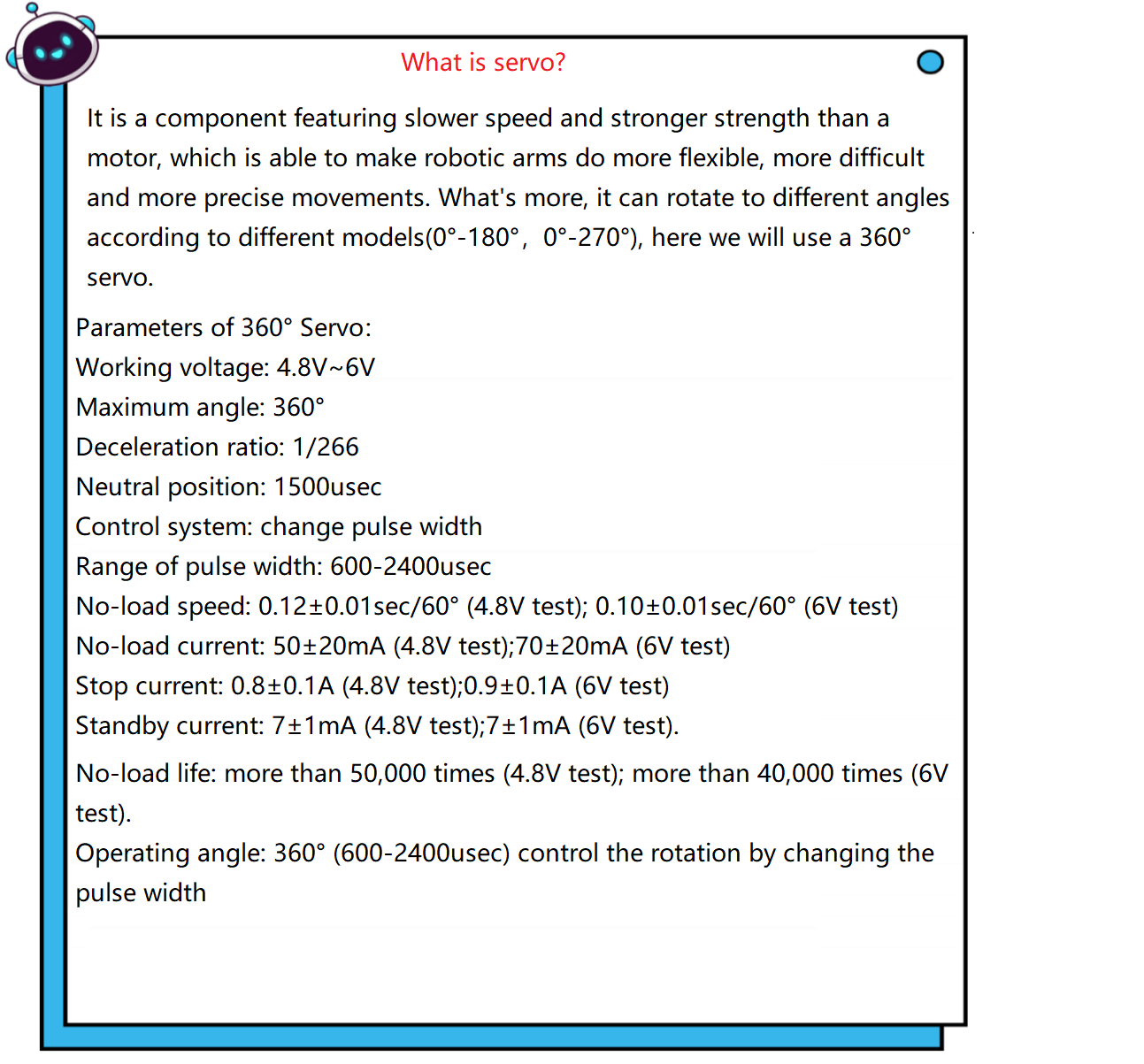
Set the angle value and delay to the specified pin. When the angle value is 90, the servo will stop rotating; if it is 0 ~ 90, the servo will rotate clockwise, the smaller the value, the faster the rotation speed; if it is 90 ~ 180, the servo will rotate counterclockwise, the larger the value, the faster the rotation speed.
Rotation of 180° Servo and 360° Servo :
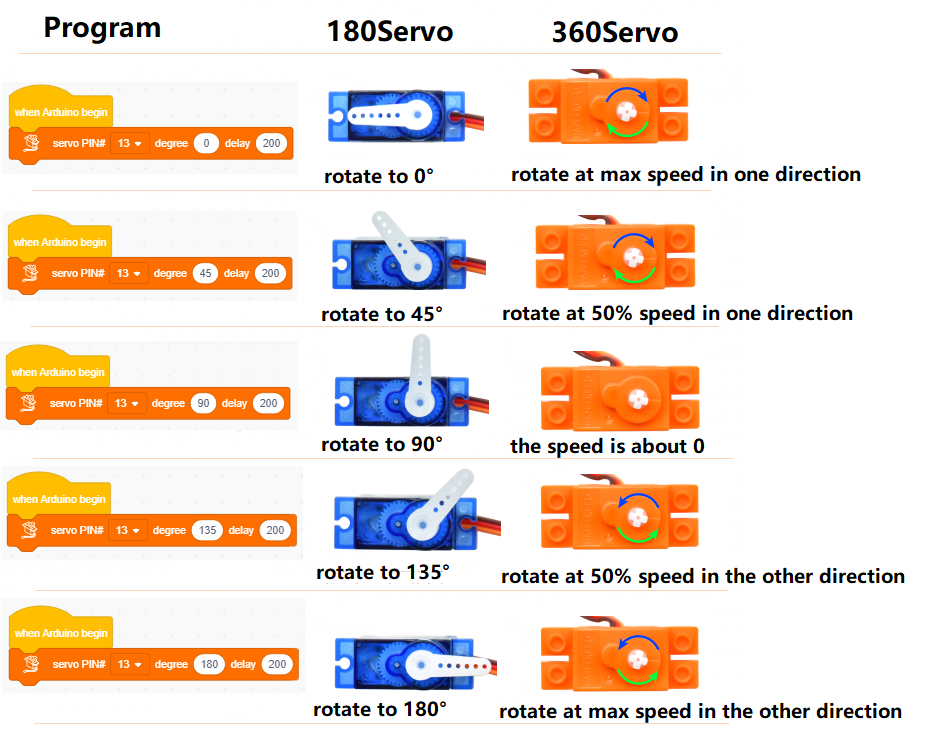
① Drag the instruction block  in the Events module to the script area.

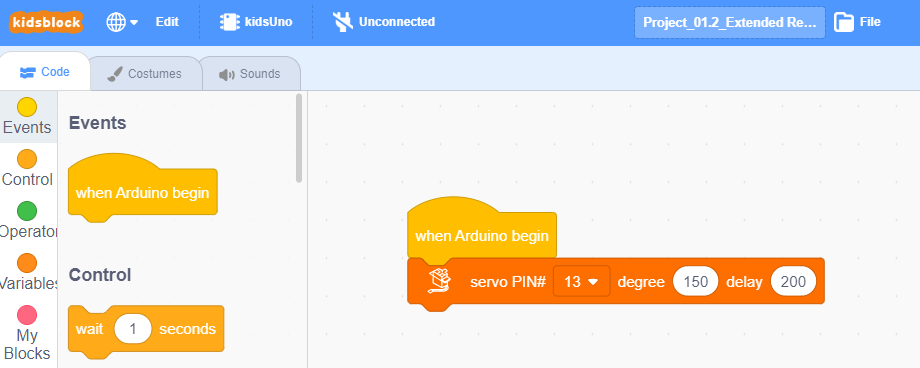
② Drag the instruction blockin the Servo module to the script area. Since the servo is connected to the G, V and D13 interface of the mainboard(The brown wire is connected to G, the red wire is connected to V and the orange wire is connected to D13), then change the number 3 to 13 and angle to any value within the range of 0 ~ 90 or 90 ~ 180. To make the servo rotate slowly, the angle value entered here is 60.

③ Complete Program

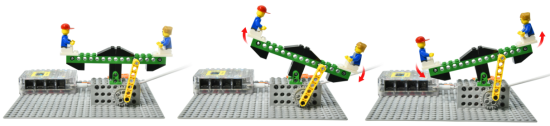
Click to upload the complete program to the kidsuno mainboard and power up, then the seesaw can rise and fall automatically.
Follow Us