
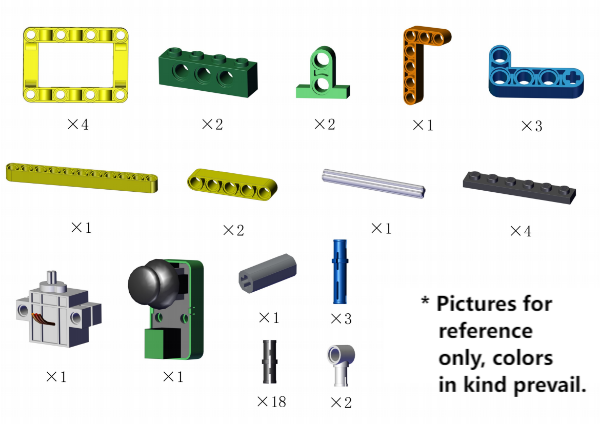
Required:
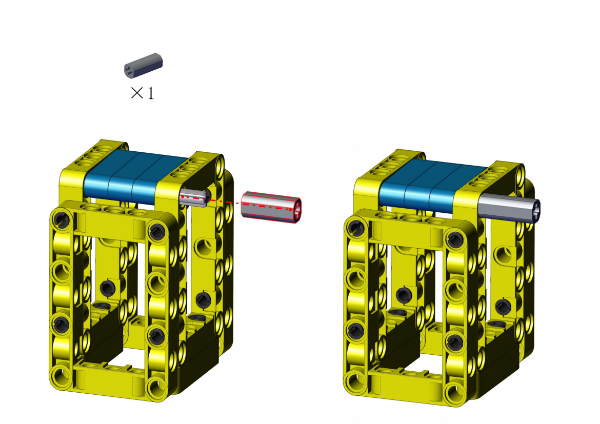
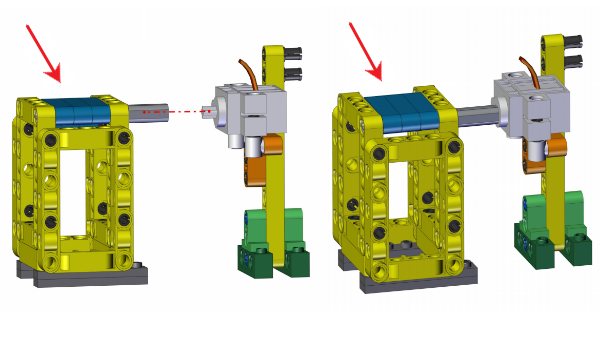
组装步骤1
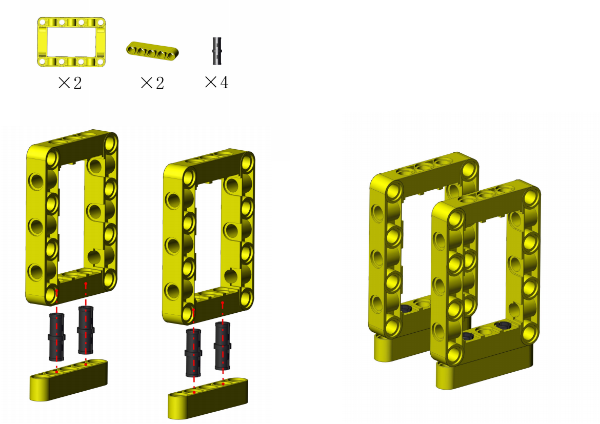
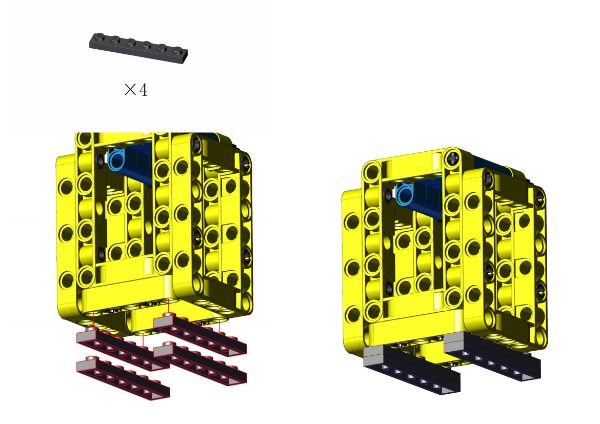
Step 2
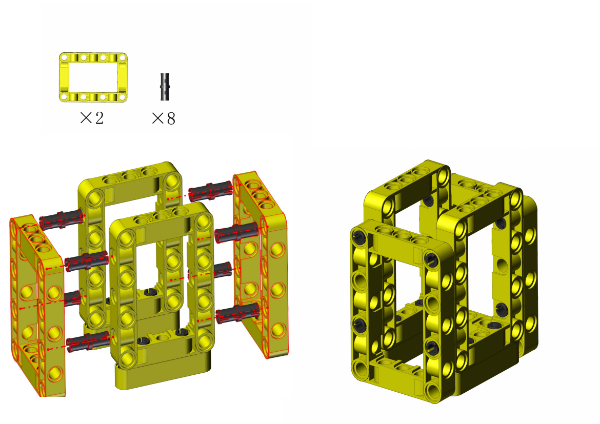
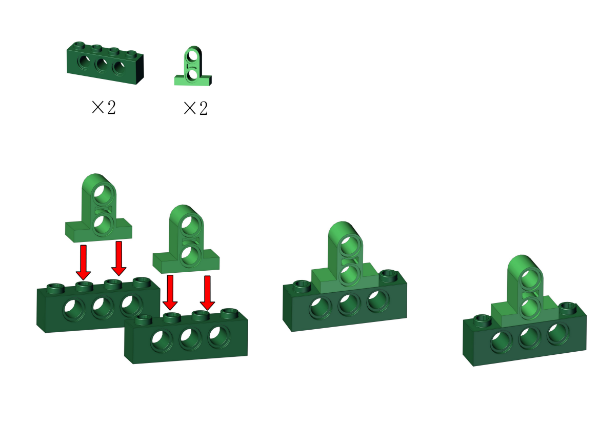
Step 3
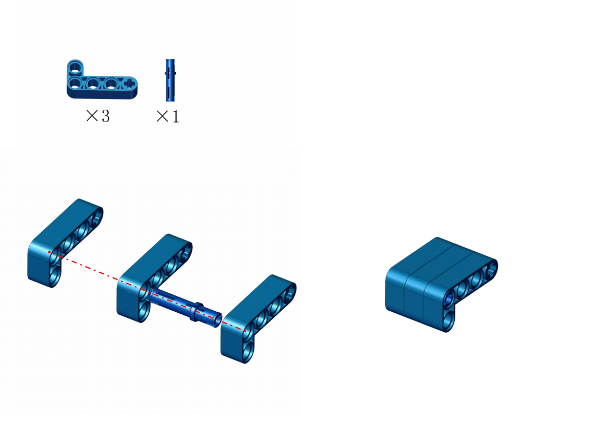
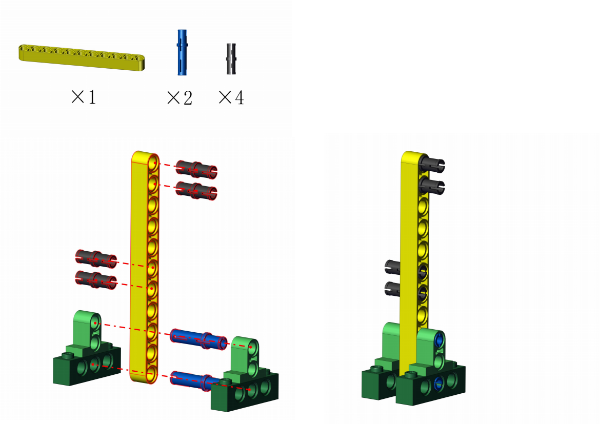
Step 4
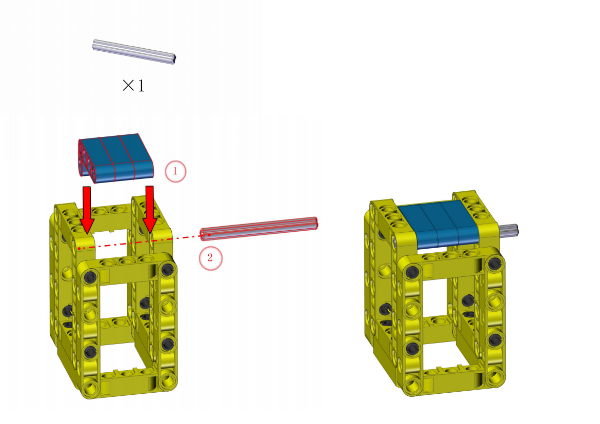
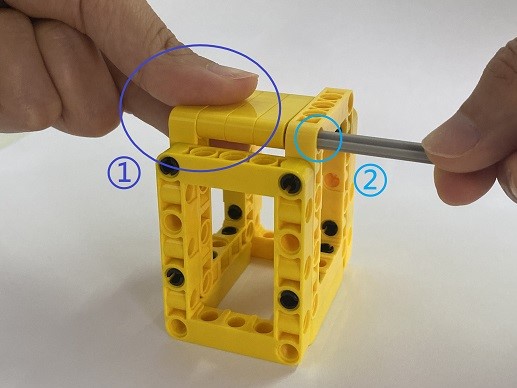
① Hold the lid still to make it align with the hole.
② Insert the rod.
ATTENTION: Keep the lid flatwise.
Step 5
Step 6
Step 7
Step 8
Step 9
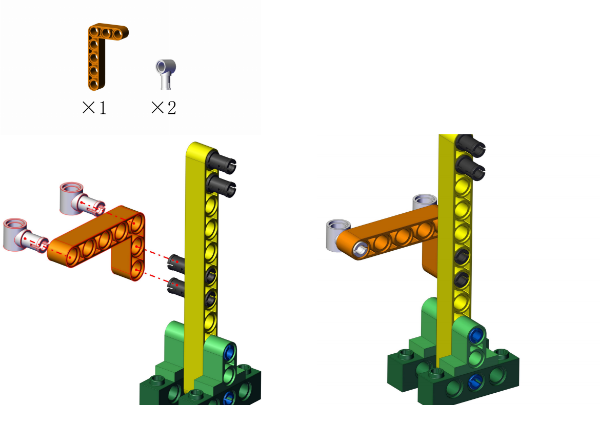
Step 10
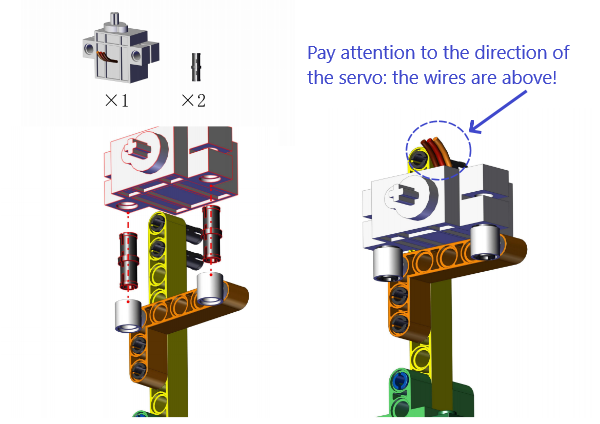
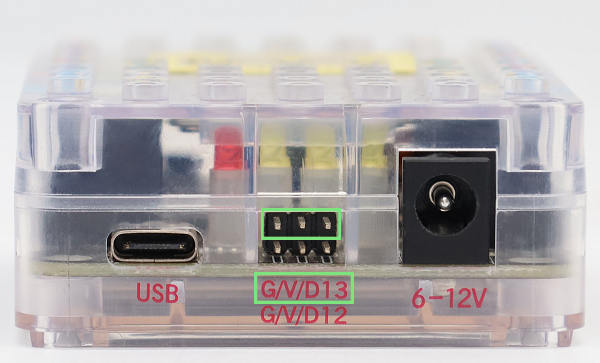
The servo need to be calibrated before using. Connect the servo to pin 13 on the board and link the board to computer via USB cable.
Open KidsBlock and click File –> Load from your computer.

Choose D:\Code\1.Code_kidsuno to open Servo_Calibration.sb3
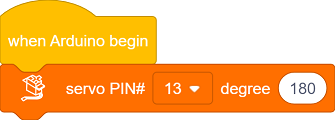
Click  and connect to port, and then
  code.
code.
After calibration, disconnect the board to computer and continue to mount.
ATTENTION: During mounting, please hold and keep the lid flatwise.
Step 11
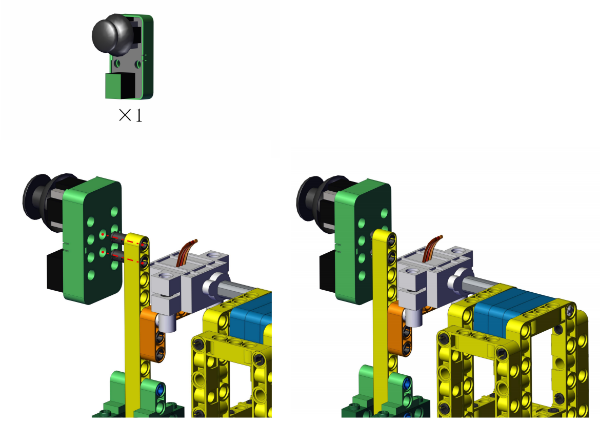
Step 12
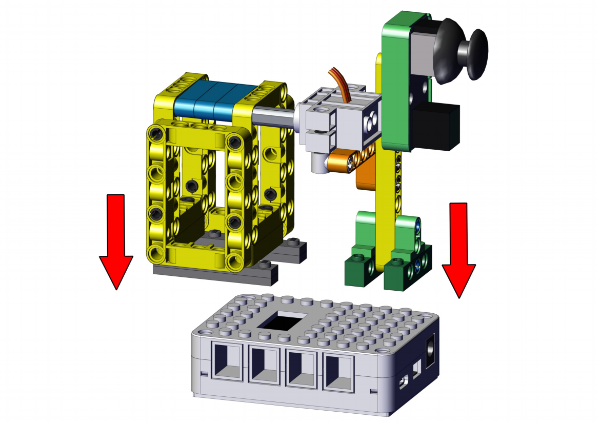
Completed!
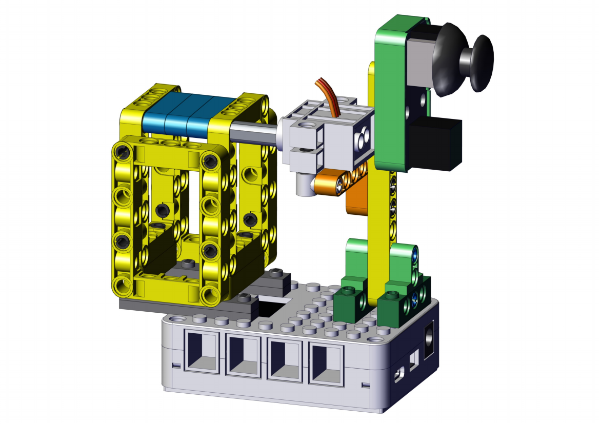
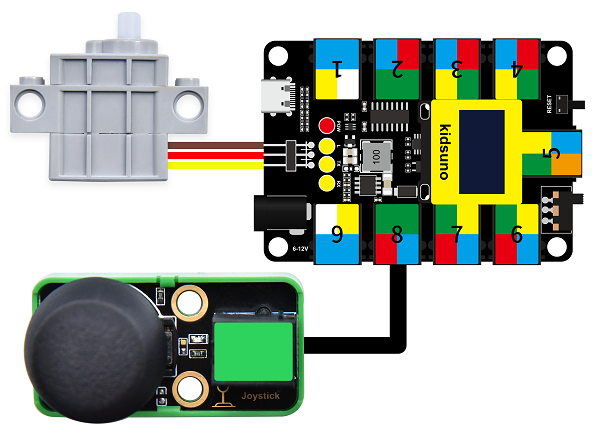
Open KidsBlock and connect to the board, click File –> Load from your computer.
In D:\Code\1.Code_kidsuno, choose to open 4.4Smart bin_Manual mode.sb3
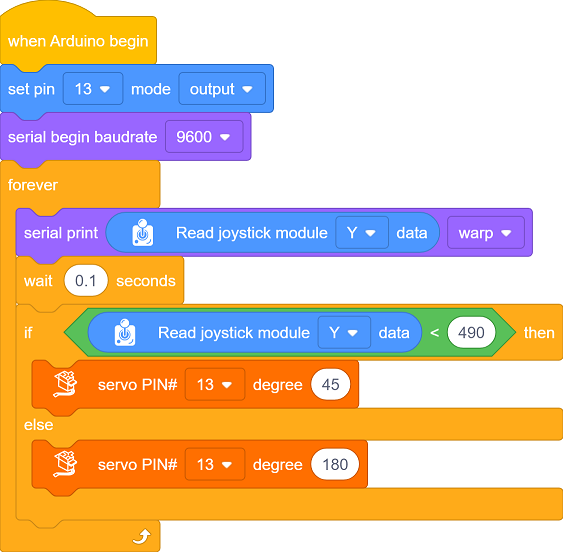
Click to connect to port and then .

Code Blocks
|
Blocks |
Code block |
|---|---|
|
|
|
|
|
|
|
|
|
|
|
|
|
|
|
|
|
|
|
|
 |
|
|
|
|
|
|
|
|
|

Conceive:
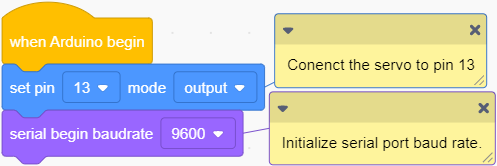
Initialization
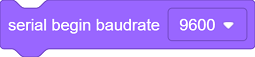
Set the servo pin and baud rate.

Main Code
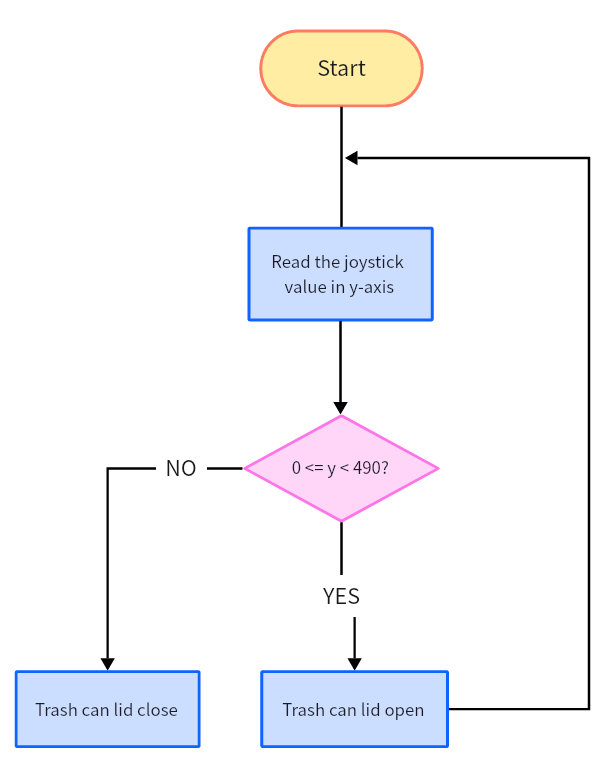
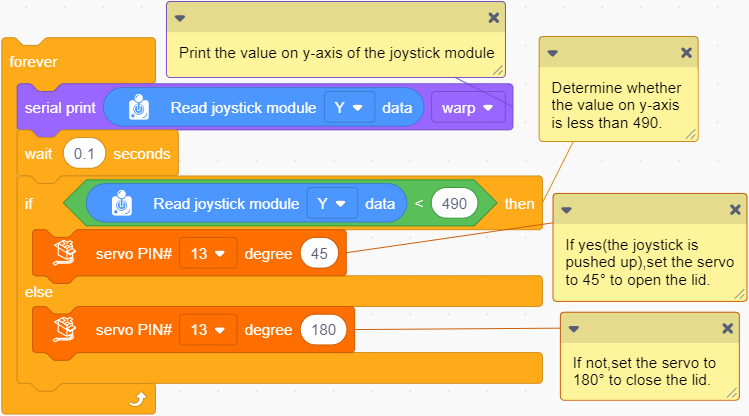
Loop: read the value of joystick in y-axis and refresh it every 0.1 seconds, and print it on serial monitor.
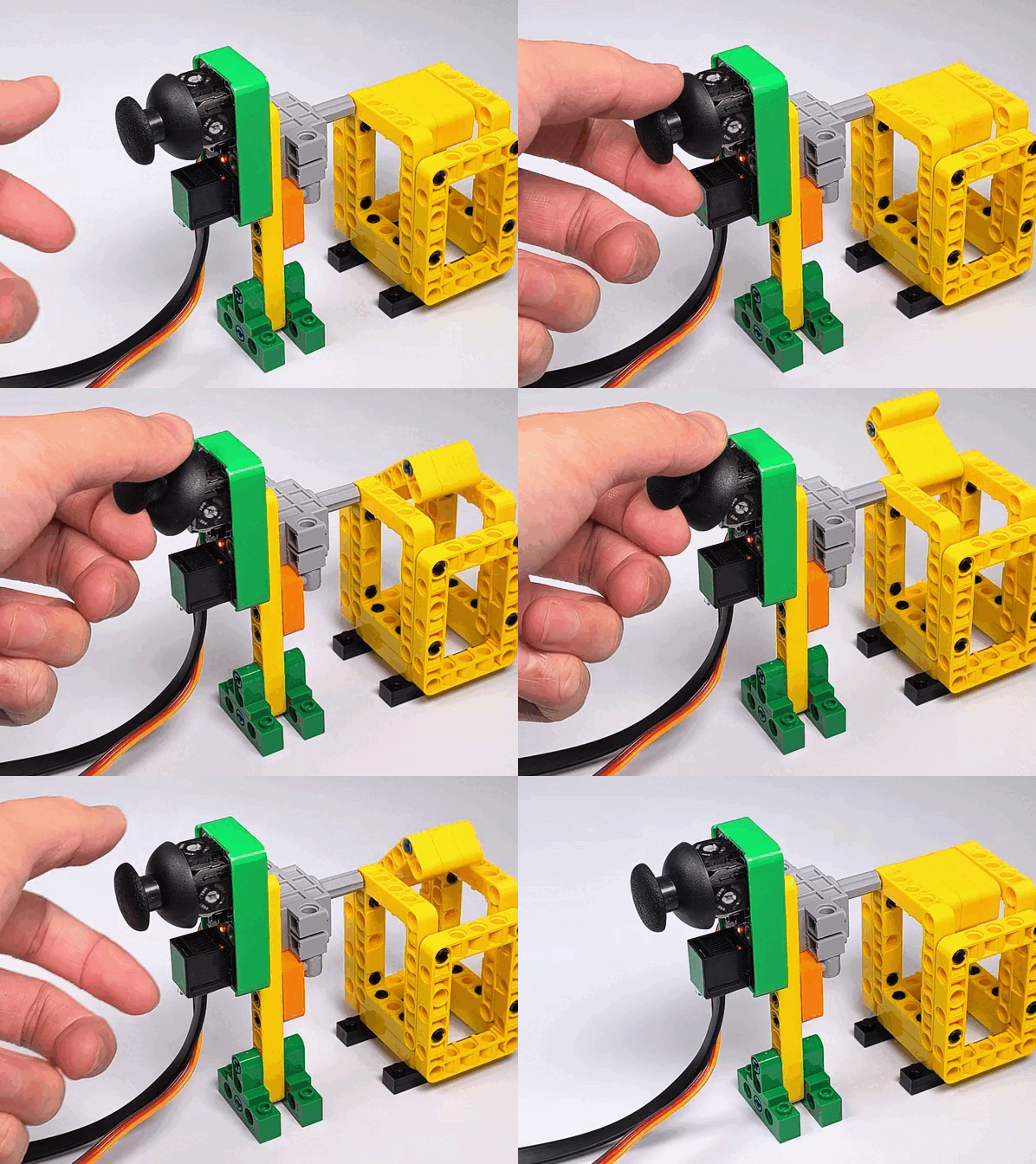
If the value in y-axis is less than 490, set the servo to 45°. If not, set the servo to 180° so then the lid will be closed.
Conceive:
① Build blocks as follows: Read the value of joystick in y-axis and refresh it every 0.1 seconds.
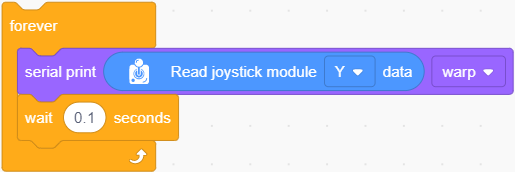
② Put the following code blocks in “forever”.
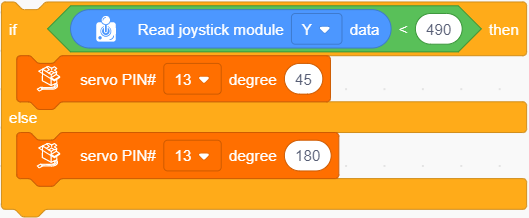
Determine whether the value in y-axis is less than 490.
If yes: set the servo to 45° to open the lid.
If not: set the servo to 180° to close the lid.



Follow Us